
Cyber Safety Alert: Why You Should Lock Your Computer Screen Before Stepping Away
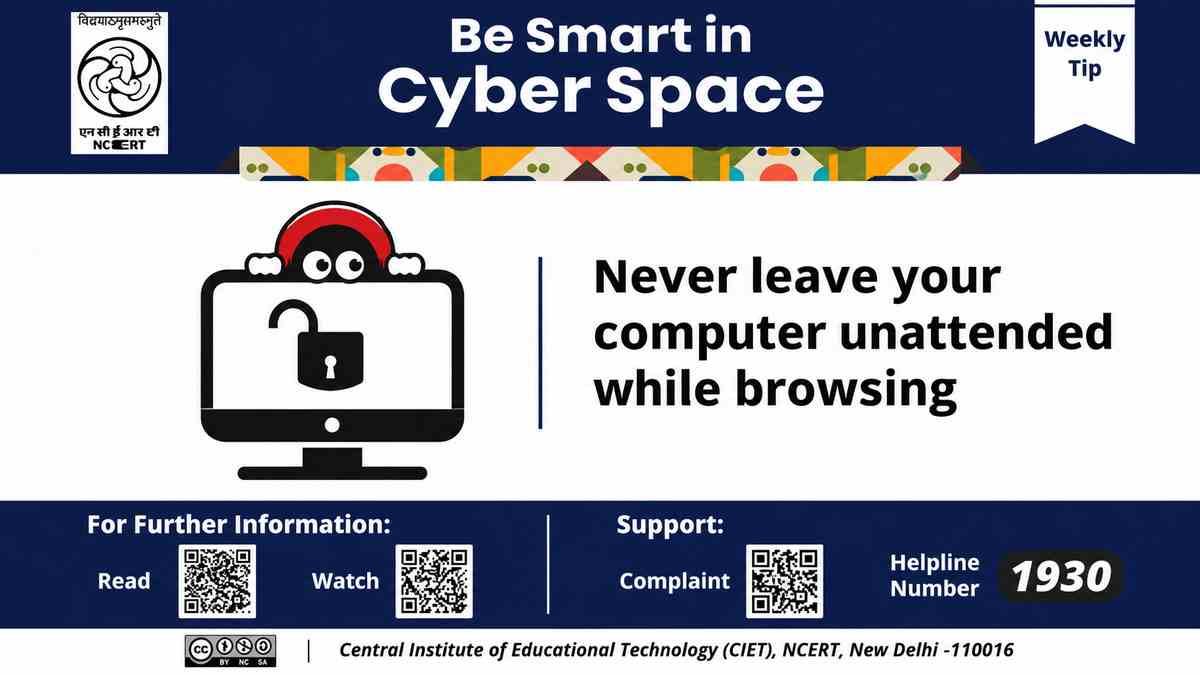
New Delhi: It may appear harmless to leave your computer unlocked when you step away from your desk, especially if you are in a familiar setting such as your workplace or classroom. However, leaving your computer unlocked can put your personal data at risk. The National Council of Educational Research and Training (NCERT) has created a cyber safety message alert to the everyday digital risk.
NCERT’s message reminds users to lock their computers when they step away and advises users on how to be safe while browsing the internet, and provides a link to cyber safety resources created by the Central Institute of Educational Technology (CIET), NCERT.
What Should Computer Users Do?
The message advocates for the protection of computers from unauthorized access and suggests methods to lock an email account or a computer screen.
Unauthorized persons have access to private emails, passwords and files when a computer is left unlocked. An unauthorized person can also access and use accounts without the user being aware. Locking the screen allows the user to return to their work and provides a barrier to access. Other suggestions include:
- Lock the computer screen before leaving the workstation.
- Avoid leaving a device unattended while browsing the internet.
- Develop regular digital safety habits at home, school and the workplace.
- Consult trusted cyber-safety resources to understand online risks.
- Report cybercrime-related incidents through the designated helpline.
The advice is relevant to students, teachers, office employees and anyone who regularly uses shared or personal computers
Importance of Locking an Unattended Computer
An unlocked computer can give access to information that users may not wish to share. There are greater risks in shared environment like computer labs, libraries, offices, and educational institutions.
A student may leave his/her computer open after checking email and thus, another student using the same computer may get access to the email containing personal messages or documents. Similarly, an employee may leave an email containing confidential information about the institution open on his/her computer screen.
Use of passwords to lock the computer screen minimizes the risks of access by others. The protection can be improved if the computer is programmed to lock automatically after a specific time of inactivity. CIET -NCERT cyber safety resources also recommend that after use, computers, tables, and phones be locked and programmed to lock screens automatically.
CIET-NCERT Cyber Safety Resources: Where Users Can Learn More
The Central Institute of Educational Technology (CIET), a constituent unit of NCERT, provides several resources for cyber safety and using technology in an informed way. Its Cyber Safety and Security resource page provides a range of material for different users like:
- Cyber safety tips for teachers
- Online safety tips for students
- Cyber safety tips for parents
- Cyber security tips for schools
- Pocketbooks and handbooks on digital safety
- Resources on online safety, digital footprints and safe online learning
These resources help educational institutions create a cyber safe school.
Cybercrime Helpline 1930: Where to Report Online Financial Fraud?
According to NCERT, as part of its preventive advice, users are also reminded of the cybercrime helpline 1930. The 1930 cybercrime helpline, is a dedicated line for reporting cybercrime, and in particular financial cyber fraud.
Victims of financial cyber fraud and other suspicious online financial transactions are urged to immediately file a report with concerned authorities. The National Cyber Crime Reporting Portal also offers an online complaint facility. The portal can be found here:
- Official Portal: https://cybercrime.gov.in/
Incidents should be reported with as much detail as possible. The helpline serves as a complementary means to report fraud and should not be considered as a substitute.
Building Safer Digital Habits Beyond Screen Locking
There are several practices that users can implement to protect their online safety and security. Some of these practices are:
- Use strong and unique passwords: Strong passwords should not be predictable and should not be used across multiple accounts.
- Keep auto lock enabled: Configure devices to lock after a short idle time.
- Keep devices and software up to date: Install the latest available updates for applications and operating system.
- Think twice before you click: Check with your IT administrator if you are unsure about links and attachments before opening them.
- Safeguard personal data: Do not store personal or financial information on a computer if you are using a computer that is not personally owned by you.
- Log out of shared computers: Sign out of all personal accounts if you are using a computer that is not personally owned by you.
Students should be educated on the importance of seemingly small actions while using digital devices.
FAQs
1. What is the latest NCERT Cyber Safety Tip?
In its weekly Cyber Safety Advisory, NCERT suggested users lock their computer screens when they move away from their system and avoid browsing while leaving the system unattended.
2. What happens if you don’t lock your computer screen when leaving it unattended?
Anyone can access your personal data, emails, and other sensitive data.
3. What is the main message of NCERT's weekly cyber-safety advisory?
Main message of the advisory is to build a protective habit among the users to secure their computers before leaving their workstation.
4. How can students access cyber-safety resources of NCERT?
Students can access cyber-safety resources of NCERT at https://ciet.ncert.gov.in/cyber-safety-security.
5. What is the cybercrime helpline in India?
Citizens can report cybercrimes and financial fraud at 1930.
6. How can citizens report cybercrimes online?
Citizens can also report cyber crimes online at https://cybercrime.gov.in/
7. Who should follow NCERT's cyber-safety advisory?
NCERT's Cyber Safety Advisory has recommendations for students, teachers, parents, administrative staff and other members of the school community on secure digital practices.
Click Here for More Science & Technology