
A Paper Bridge Becomes a Student Film with Seedance 3.0
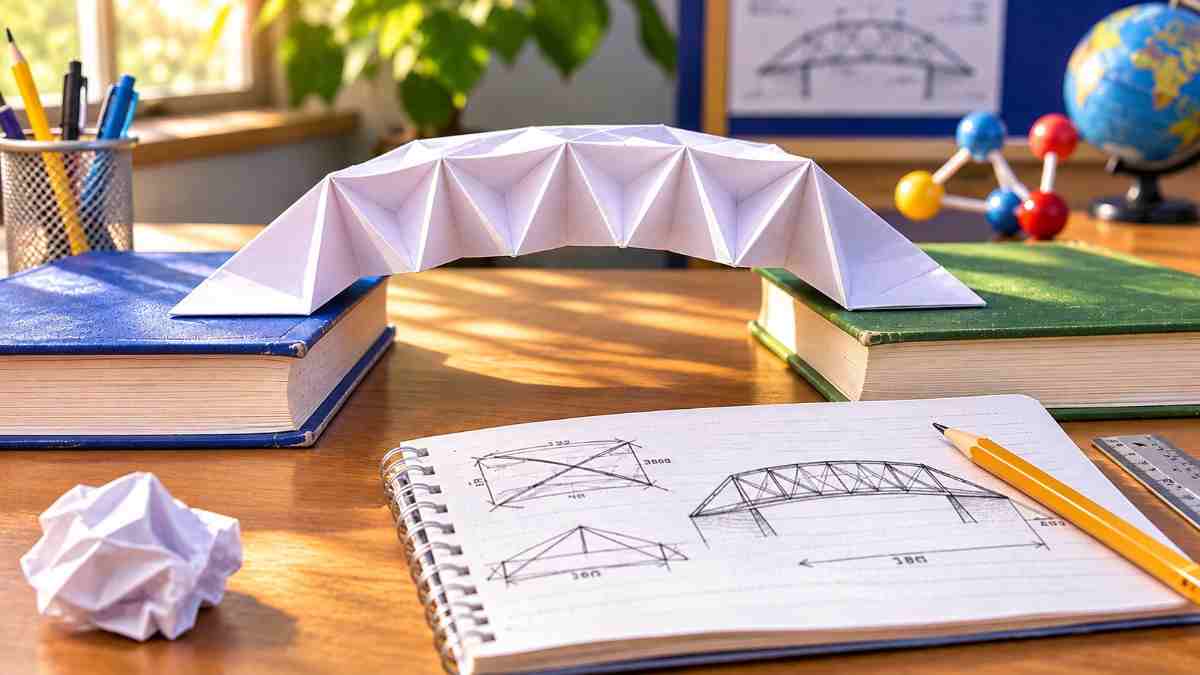
A folded paper bridge sits between two stacks of textbooks. Beside it lies a notebook containing a student's sketches, measurements, and crossed-out ideas. For a school science exhibition, I would build a short video around that small scene: a question takes shape, a model is built, and the audience is invited to look more closely. The aim would be a clear introduction to a real student project, not an invented demonstration of scientific success.
My starting point would be the student's actual materials. A photograph of the bridge would establish its appearance, while a short recording of the student explaining the question would supply the story. I would ask what viewers should notice first: the folds, the distance between the supports, or the difference between an early sketch and the finished model. That answer would determine the opening frame.
The imaginative opening is where Seedance 3.0, an AI video generation model, could enter this classroom project. I would explore a brief scene in which light moves across a paper bridge on an otherwise quiet desk. Its purpose would be to establish curiosity before the film cuts to authentic photographs and footage. Generated material would be identified as an illustration, keeping it distinct from the student's recorded observations.
Give the bridge a readable setting
I would place the desk against a simple background and remove objects that compete with the model. A bright pencil case or patterned curtain could become more noticeable than the paper structure. In the proposed frame, two plain books would support the bridge, a soft shadow would show the gap beneath it, and the notebook would remain near the edge. These details give viewers a setting without demanding an explanation.
The first shot would stay close enough to show the folded surface. A slow movement towards the desk could bring the model forward, but I would avoid a full orbit. Circling a small structure introduces changing angles that may distract from its shape. For this opening, movement should help a viewer understand where to look. The model needs to remain recognisable when the next shot shows the real classroom photograph.
A draft shot brief for Seedance 3.0 might read: a small folded paper bridge resting between two plain textbooks on a school desk, soft morning light from the left, gentle forward camera movement, the paper structure remaining still, an uncluttered background, and no writing on screen. I would treat that description as a starting point to revise, rather than a promise of a particular result.
Separate atmosphere from evidence
After the opening, I would cut to genuine footage of the student arranging the model. This is the point where the story moves from an imagined introduction to documented work. A short caption could say that the opening is an AI-generated illustration. The explanation that follows would use the student's own words, edited for length without changing the question or making the results sound more conclusive.
For a forty-five-second film, the central section needs one clear action. I would choose a real moment when the student compares the first sketch with the model, pointing out a fold that changed during construction. Filming that gesture from above would keep both objects visible. A second angle could show the bridge at desk level. Neither shot needs dramatic lighting; clarity matters more than a cinematic effect.
Seedance 3.0 would remain responsible for the illustrative opening, while any test sequence would come from actual recorded activity. If the class has not measured a particular result, I would leave it out of the narration. An attractive animation of a bridge supporting a heavy object would be especially misleading here. A simple cut to the real notebook can communicate the investigation without creating evidence that does not exist.
Revise the shot that asks too much
Suppose the first generated opening makes the folded surface appear to ripple. That movement might look interesting, but it would weaken the connection with the real paper model. My next version would simplify the scene: a fixed camera, stable paper geometry, and a quieter change in illumination. If the unwanted movement remained, I would replace the opening with the original still photograph and introduce a gentle zoom in the editor.
Another possible difficulty is a background that looks like an elaborate laboratory. The actual project belongs on a classroom desk, and that modest setting is part of its appeal. In a revised Seedance 3.0 shot brief, I would reduce the number of objects and describe the two supports directly. I would compare the resulting frame with the source photograph, watching the bridge silhouette and the placement of the books.
The student could contribute to this revision by explaining which detail makes the model recognisable. Perhaps a central crease matters more than the exact colour of a book cover. That discussion turns video production into a useful exercise in observation. The decision is concrete: preserve the crease, simplify the background, and shorten a shot that introduces unnecessary visual changes.
Let the soundtrack explain the pace
I would assemble the picture sequence before choosing music. The sound of paper being unfolded could introduce the real footage, followed by the student's explanation. A quiet instrumental passage might support the opening, but it should fall back when speech begins. The viewer should hear the question without having to separate it from a strong beat or a sudden musical flourish.
Captions would be added in the editing stage, using short lines with enough screen time to read them. I would keep labels away from the bridge and avoid placing text over the student's hands. For a classroom screen, a landscape version would provide space for the model and notebook. A separate portrait cut would need a tighter composition, rather than simply cropping away half the demonstration.
End with an invitation to investigate
The final image would return to the real bridge beside the notebook. I would hold that frame while the student states the next question they want to explore. This ending gives the project a direction without pretending that a short film can replace a full explanation and it can contribute an illustrative entrance to the story; the student's materials and reasoning provide its substance. The finished video should leave visitors ready to ask about the model on the exhibition table.
Click Here for More Science & Technology